Mobile Application

📱The app is evolving for a smoother mission at Space Meetings Veneto!

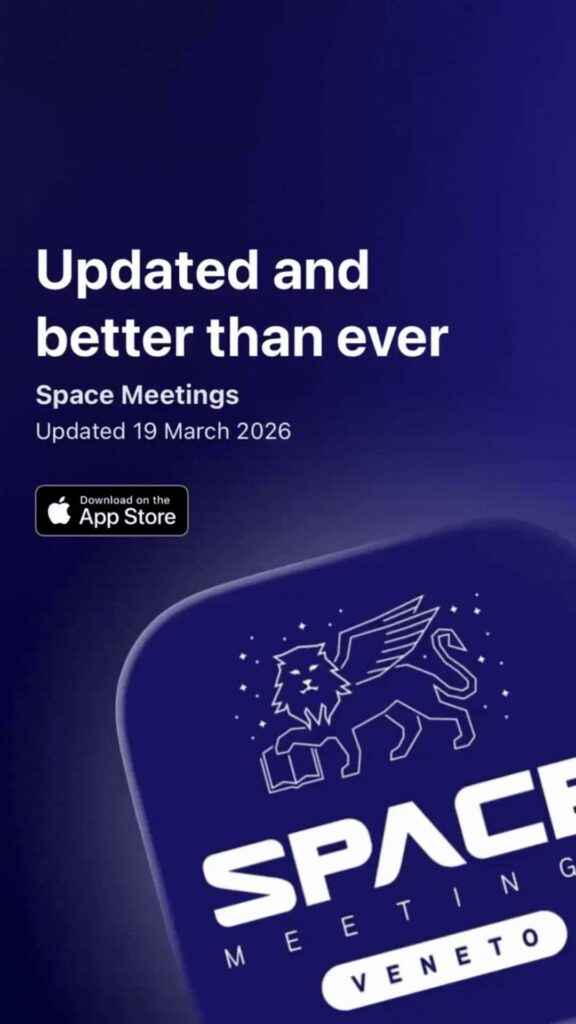
We’re excited to introduce the Space Meetings Veneto mobile app – your all-in-one event companion. 

Available from April 13.

Make the most of Space Meetings Veneto experience by downloading the Space Meetings Mobile App before the event!

Mobile graphics (2)

Download the Mobile App today:

Use the delegate e-mail that you used to register for Space Meetings Veneto 2026 to login and start planning.

Need help logging in? Contact us at mmiu@advbe.com.

Installation QR code

📱 Download the mobile app and access everything you need in one place:

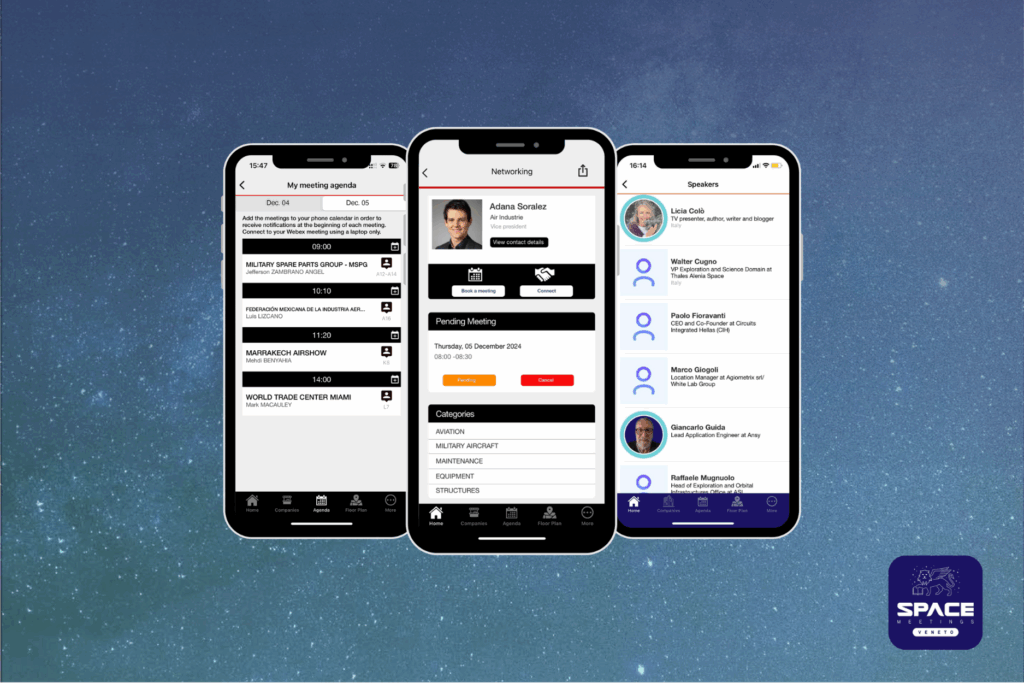
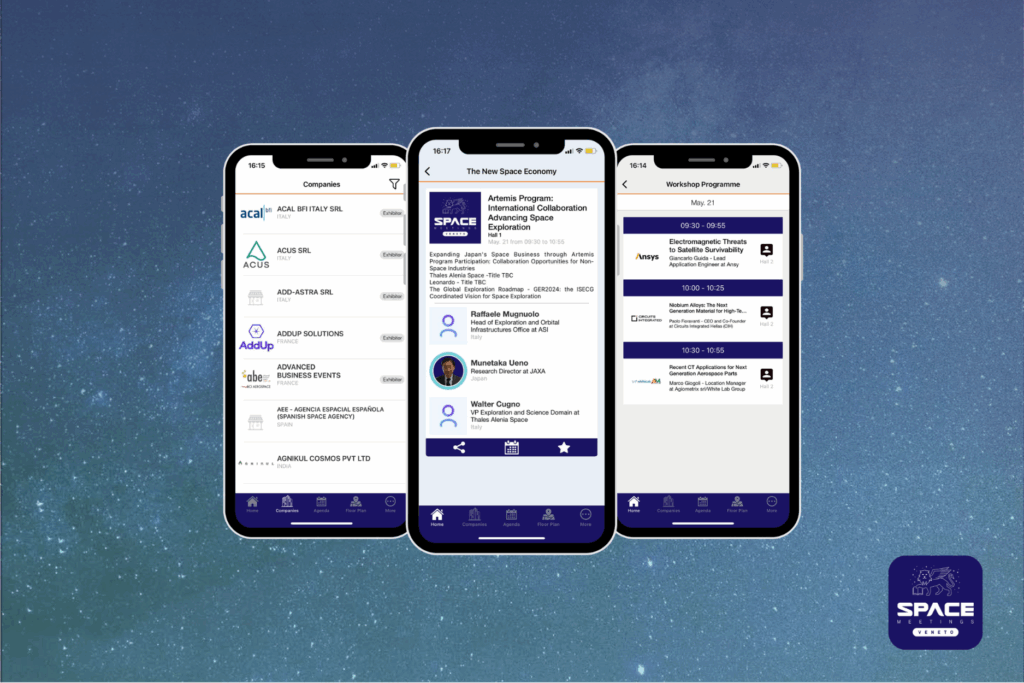
🔍Participants list with company details & activity filter

Easily browse the list of participants and filter by activity or country to connect with the most relevant contacts for your business.

🔖Personalized agenda with calendar sync

Keep track of your meetings and effortlessly add them to your phone’s calendar for better time management. 

Available from May 10.

Website graphics, Mobile App SMV25 (3)
Website graphics, Mobile App SMV25 (2)

🎯Enhanced networking capabilities

Access the list of participants and, with just one click, request contact information or schedule additional meetings. The app provides instant notifications when a meeting request is accepted or declined. 

Available from May 10.

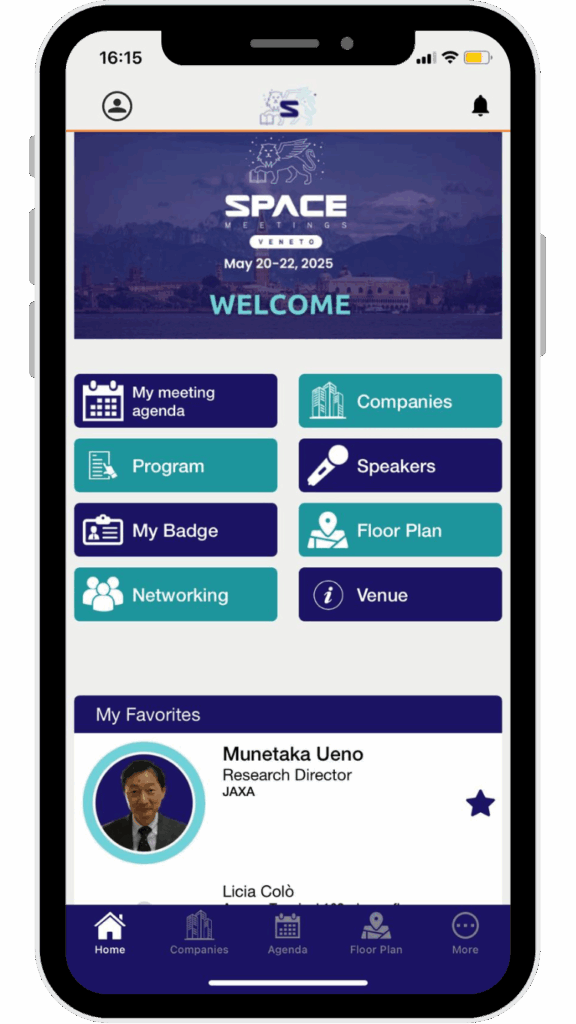
📍All you need in one place

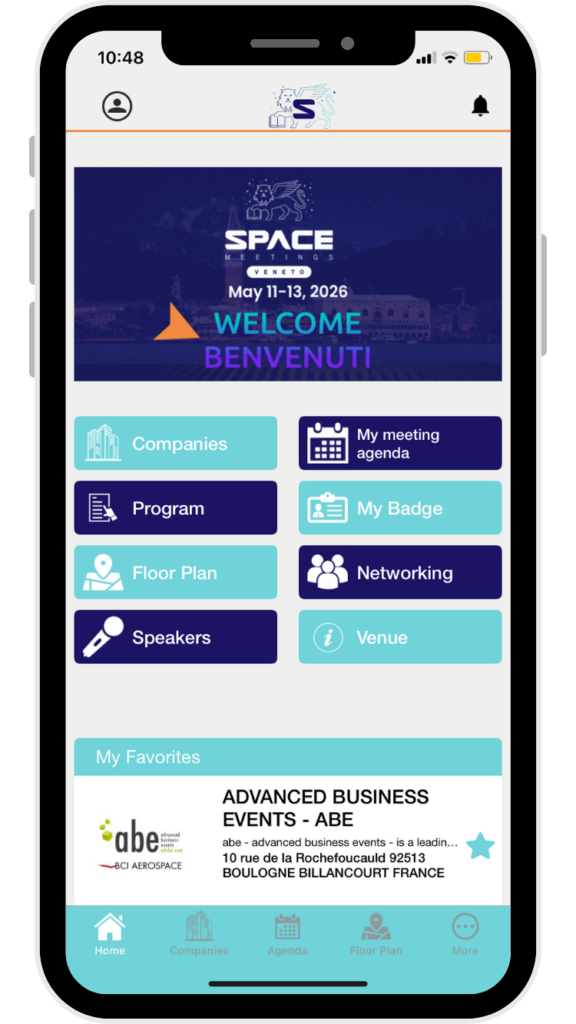
Find everything you need to prepare for the event in one place! Access key dates, contacts, opening hours, venue details, map & directions, WiFi access, and lunch & catering information.

Download the mobile app today!

Use the delegate email address you provided in the B2B platform under the “Delegates” menu, along with your B2B platform password, to begin planning your participation.

FAQS

Need help logging in?
Review the FAQs section below, or contact us at mmiu@advbe.com.

📲 What can I do in the app?

Getting the most out of attending SMV26 just got a lot easier! Whether you are planning your visit in advance or exhibiting at the event, our official app helps you organize your schedule and make the most of your business opportunities.

Within the app you can:

  • Review your agenda and add your meetings to your phone calendar
  • Browse attendees who opted in to networking and send connection requests to grow your event network
  • Stay informed with live notifications about everything happening at the event (make sure notifications are enabled!)
  • Access the event floor plan easily
  • View the participants list
  • Find useful information (venue access, booth setup, practical details, etc.)

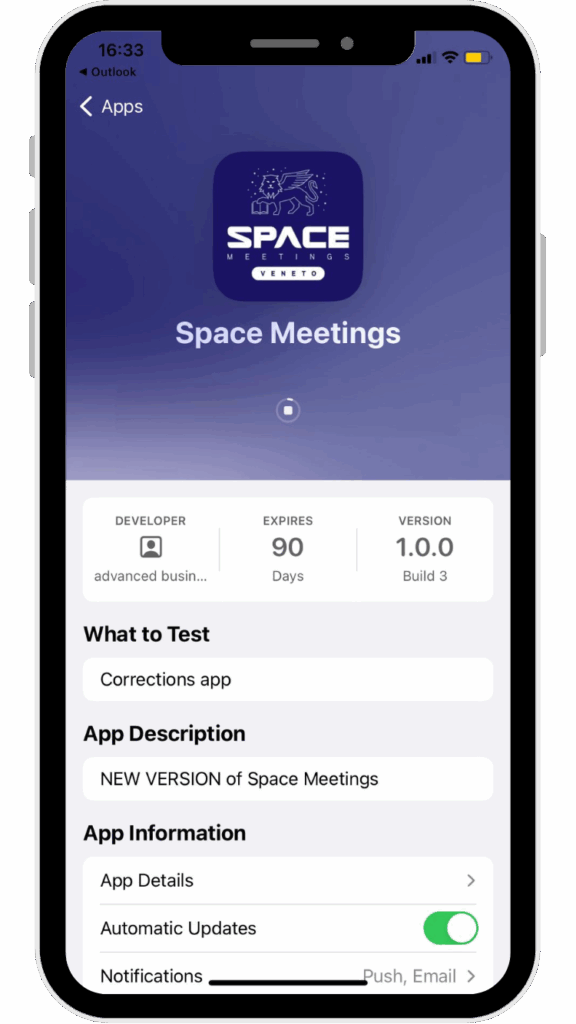
STEP 1

Step 1

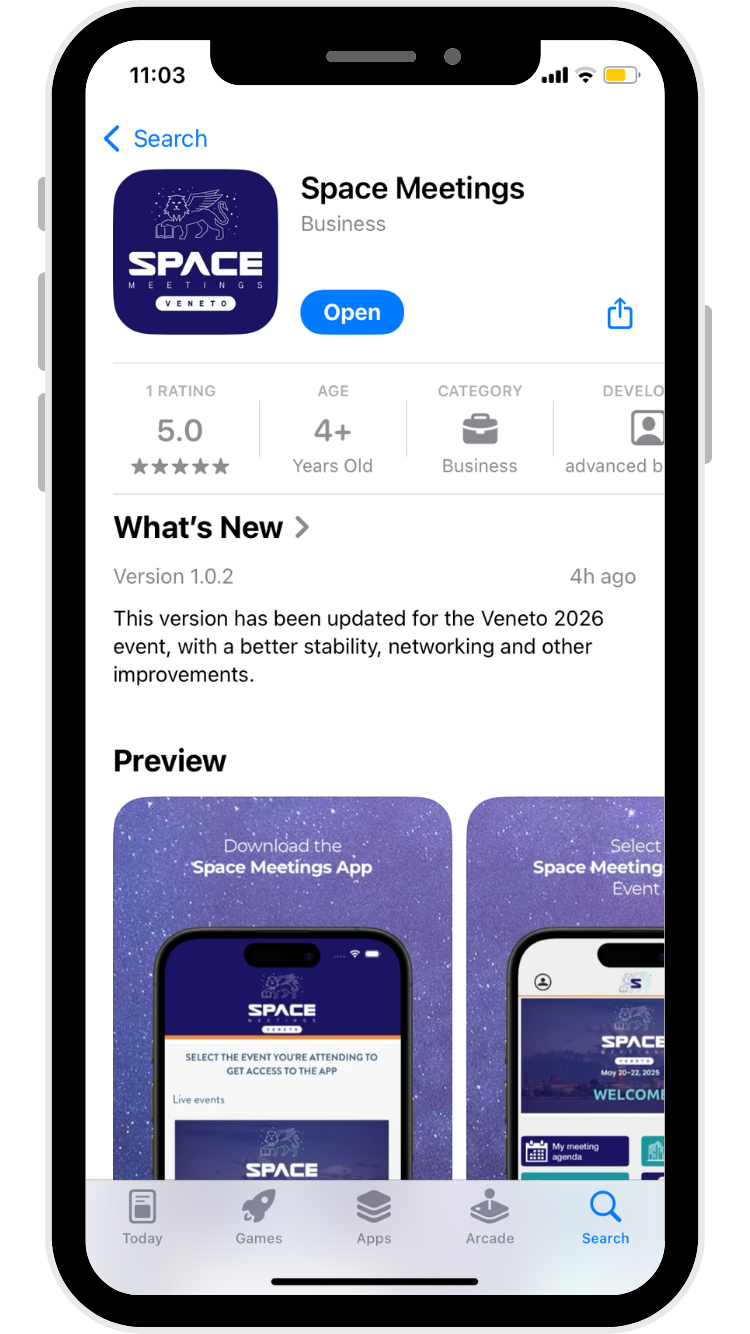
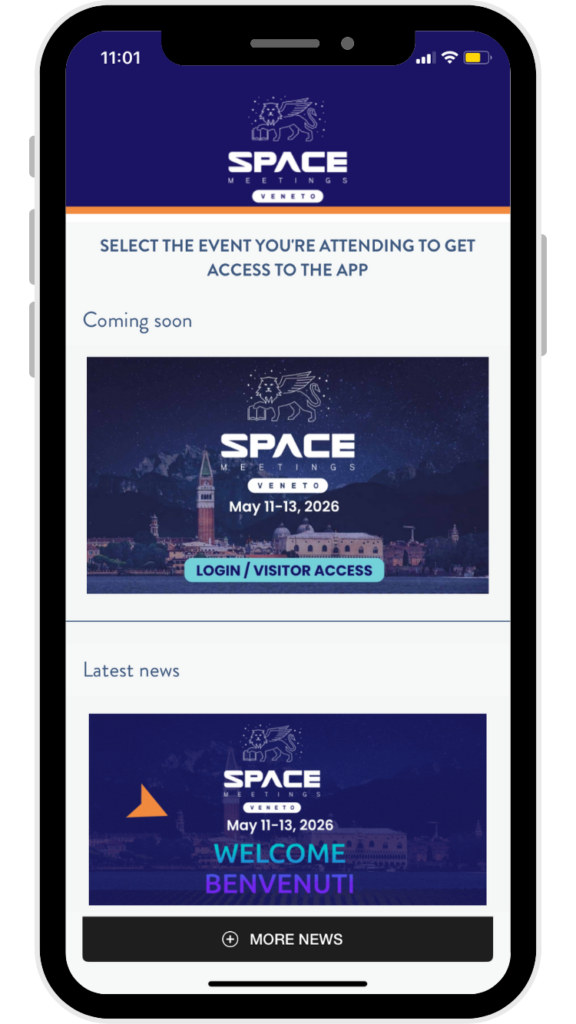
Download the Space Meetings App

Available on iOS and Android from April 13, 2026.


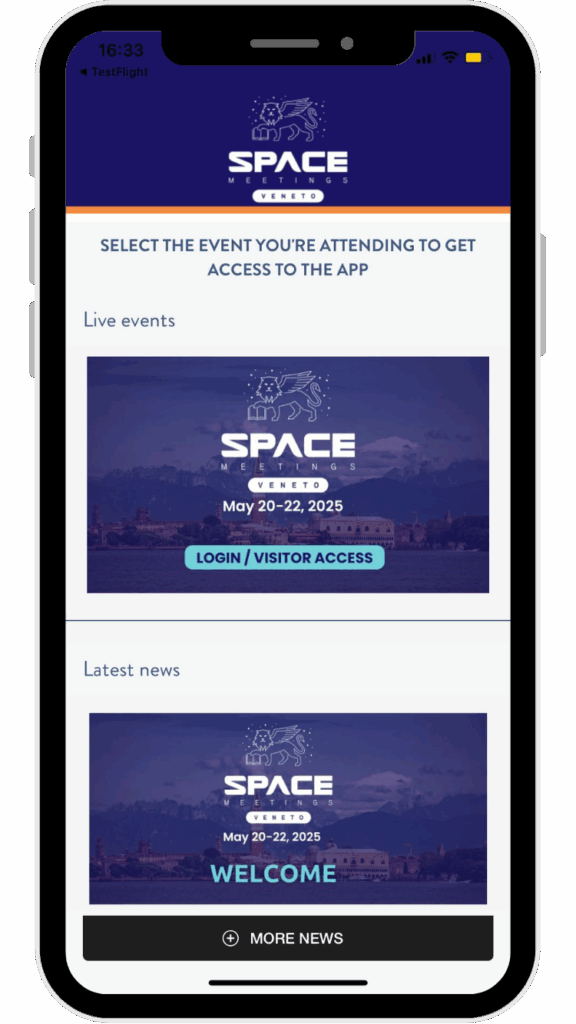
STEP 2

Step 2 (2)

Select the LIVE EVENT

Choose Space Meetings Veneto and log in with your B2B profile.

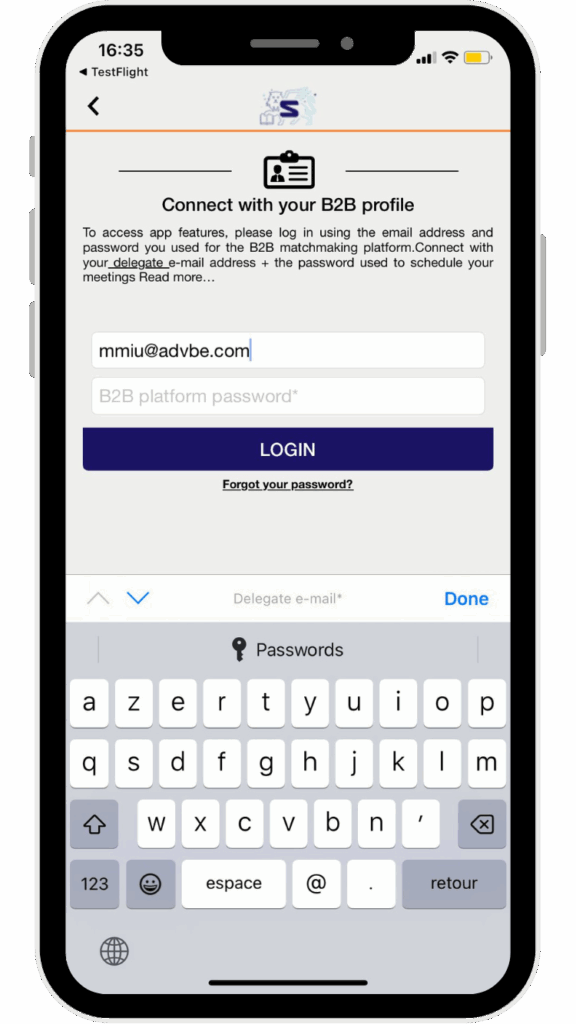
STEP 3

Step 3 (2)

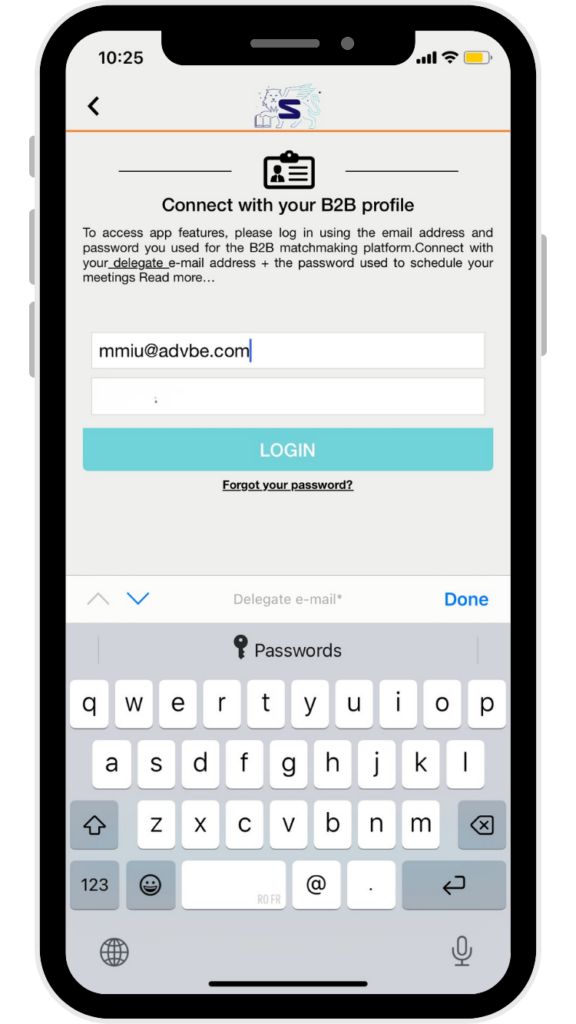
Email address 

⚠️To ensure full access to all features of the B2B platform, including your Meeting Agenda and Networking tools, you must use the email address registered under your name in the Delegates section of the platform.

STEP 4

Step 4 (2)

Password 

Use the same password you use to access your company profile on the B2B platform.

You are now successfully logged into your account!

The improved networking feature allows participants to request additional meetings and access contact information easily. It helps create more connections and enhances your overall experience.

Access all networking participants
View the list of attendees who opted into networking and identify potential business contacts who share your interests or objectives.

Request contact information or additional meetings
You can request contact details or propose additional meetings directly through the app, helping you manage your networking more efficiently and follow up with key contacts after the event.

Receive notifications for meeting responses
You will receive instant notifications when a meeting request is accepted or declined, allowing you to react quickly and manage your schedule.

Important: To unlock all features, including your B2B agenda and networking tools, you must log in using your B2B profile.

First, check that you have meetings scheduled on the B2B platform.

If your agenda is visible on the B2B platform but not on the mobile app, please ensure that:

  • You are logged in as a registered participant using your delegate email address and password
  • You are not logged in as a visitor via the form access

This is a unique opportunity to gain premium visibility before, during, and after the event while engaging with a highly targeted audience from the space industry.

As the official mobile app sponsor, your brand will benefit from extensive exposure across multiple channels:

  • Event website
  • Registration and B2B meeting platform
  • Dedicated marketing campaigns
  • Social media promotion
  • On-site signage at the venue
  • Premium visibility within the mobile app


This sponsorship places your brand directly in participants’ hands throughout their event journey – from planning meetings to navigating the event and networking with industry leaders.

There is one exclusive mobile app sponsor opportunity.
Contact our team today to learn more: mmiu@advbe.com

If you are unable to log in to the event app:

  1. First, check that you are registered for the event, as this is the most common reason for login issues.

  2. Make sure you are using the same email address used to register for the event. Your mobile app account is created using your delegate email address (from the Delegates section) and your B2B platform password.

  3. If you still cannot log in, use the “Forgot your password” button to reset it.

If you experience another issue with the app, please visit the Reception Desk at the event venue where our dedicated app support team will assist you.

You can also contact a member of our team who will be happy to help mmiu@advbe.com

FAQS

Need help logging in?
Review the FAQs section below, or contact us at mmiu@advbe.com.

📲 What can I do in the app?

Getting the most out of attending SMV26 just got a lot easier! Whether you are planning your visit in advance or exhibiting at the event, our official app helps you organize your schedule and make the most of your business opportunities.

Within the app you can:

  • Review your agenda and add your meetings to your phone calendar
  • Browse attendees who opted in to networking and send connection requests to grow your event network
  • Stay informed with live notifications about everything happening at the event (make sure notifications are enabled!)
  • Access the event floor plan easily
  • View the participants list
  • Find useful information (venue access, booth setup, practical details, etc.)

STEP 1

Step 1

Download the Space Meetings App

Available on iOS and Android from April 13, 2026.


STEP 2

Step 2 (2)

Select the LIVE EVENT

Choose Space Meetings Veneto and log in with your B2B profile.

STEP 3

Step 3 (2)

Email address 

⚠️To ensure full access to all features of the B2B platform, including your Meeting Agenda and Networking tools, you must use the email address registered under your name in the Delegates section of the platform.

STEP 4

Step 4 (2)

Password 

Use the same password you use to access your company profile on the B2B platform.

You are now successfully logged into your account!

The improved networking feature allows participants to request additional meetings and access contact information easily. It helps create more connections and enhances your overall experience.

Access all networking participants
View the list of attendees who opted into networking and identify potential business contacts who share your interests or objectives.

Request contact information or additional meetings
You can request contact details or propose additional meetings directly through the app, helping you manage your networking more efficiently and follow up with key contacts after the event.

Receive notifications for meeting responses
You will receive instant notifications when a meeting request is accepted or declined, allowing you to react quickly and manage your schedule.

Important: To unlock all features, including your B2B agenda and networking tools, you must log in using your B2B profile.

First, check that you have meetings scheduled on the B2B platform.

If your agenda is visible on the B2B platform but not on the mobile app, please ensure that:

  • You are logged in as a registered participant using your delegate email address and password
  • You are not logged in as a visitor via the form access

This is a unique opportunity to gain premium visibility before, during, and after the event while engaging with a highly targeted audience from the space industry.

As the official mobile app sponsor, your brand will benefit from extensive exposure across multiple channels:

  • Event website
  • Registration and B2B meeting platform
  • Dedicated marketing campaigns
  • Social media promotion
  • On-site signage at the venue
  • Premium visibility within the mobile app


This sponsorship places your brand directly in participants’ hands throughout their event journey – from planning meetings to navigating the event and networking with industry leaders.

There is one exclusive mobile app sponsor opportunity.
Contact our team today to learn more: mmiu@advbe.com

If you are unable to log in to the event app:

  1. First, check that you are registered for the event, as this is the most common reason for login issues.

  2. Make sure you are using the same email address used to register for the event. Your mobile app account is created using your delegate email address (from the Delegates section) and your B2B platform password.

  3. If you still cannot log in, use the “Forgot your password” button to reset it.

If you experience another issue with the app, please visit the Reception Desk at the event venue where our dedicated app support team will assist you.

You can also contact a member of our team who will be happy to help mmiu@advbe.com

Become the Mobile App Sponsor!

Position your company at the forefront of innovation by sponsoring the event’s mobile app. 

This is a unique opportunity to gain premium visibility before, during, and after the event while engaging directly with a highly targeted audience from the space industry.

As the mobile app sponsor, your brand will benefit from extensive exposure across multiple touchpoints:

  • Event website
  • Registration and B2B meeting platform
  • Dedicated marketing campaigns
  • Social media promotion
  • On-site signage at the venue
  • Premium visibility within the mobile app

This sponsorship places your brand in participants’ hands throughout their event experience: from planning meetings to navigating the event and networking with industry leaders.

SMV26 Phone resized

Become the Mobile App Sponsor!

Position your company at the forefront of innovation by sponsoring the event’s mobile app. 

This is a unique opportunity to gain premium visibility before, during, and after the event while engaging directly with a highly targeted audience from the space industry.

As the mobile app sponsor, your brand will benefit from extensive exposure across multiple touchpoints:

  • Event website
  • Registration and B2B meeting platform
  • Dedicated marketing campaigns
  • Social media promotion
  • On-site signage at the venue
  • Premium visibility within the mobile app

This sponsorship places your brand in participants’ hands throughout their event experience: from planning meetings to navigating the event and networking with industry leaders.

SMV26 Phone resized

How to use the networking feature?

The improved networking feature enables participants to request additional meetings and access contact information seamlessly. This fosters greater engagement and facilitates new connections, enhancing the overall networking experience.

Access to all networking participants

Participants can view a comprehensive list of all attendees who have opted into the networking feature. This transparency allows users to easily identify and connect with individuals who share similar interests or business objectives, maximizing the potential for valuable interactions.

Request contact information or additional meetings

With the ability to request contact details or propose additional meetings, participants can proactively manage their networking efforts. This feature empowers users to take the initiative in building professional relationships and ensures they can follow up with key contacts even after the event.

Notifications for meeting responses

The app provides instant notifications when a meeting request is accepted or declined. This prompt communication ensures that participants are always aware of the status of their networking efforts and can quickly act on confirmed meetings or seek alternative opportunities if a request is declined.

Important: 

To unlock all features, including your B2B agenda and networking tools, it’s compulsory to connect with your B2B profile.

STEP 1

Step

Download the Space Meetings APP

Available on iOS and Android from May 13, 2025.


STEP 2

Step

Select Space Meetings Veneto event

Choose the LIVE EVENT Space Meetings Veneto and log in with your B2B profile.


STEP 3

Step

Email address 

⚠️To ensure you have full access to all features of our B2B platform, including your Meeting Agenda and Networking features, it is essential that you use the email address registered under your name in the « Delegate Section » of the platform.

STEP 4

Step

Password 

Please provide the same password you used to access your company profile within the B2B platform.

You are successfully logged into your account!


Need assistance?

If you face any issues to log in or have any other enquiry regarding the app, please contact: 

Mariana MIU 

mmiu@advbe.com 

+33 01 41 86 41 25